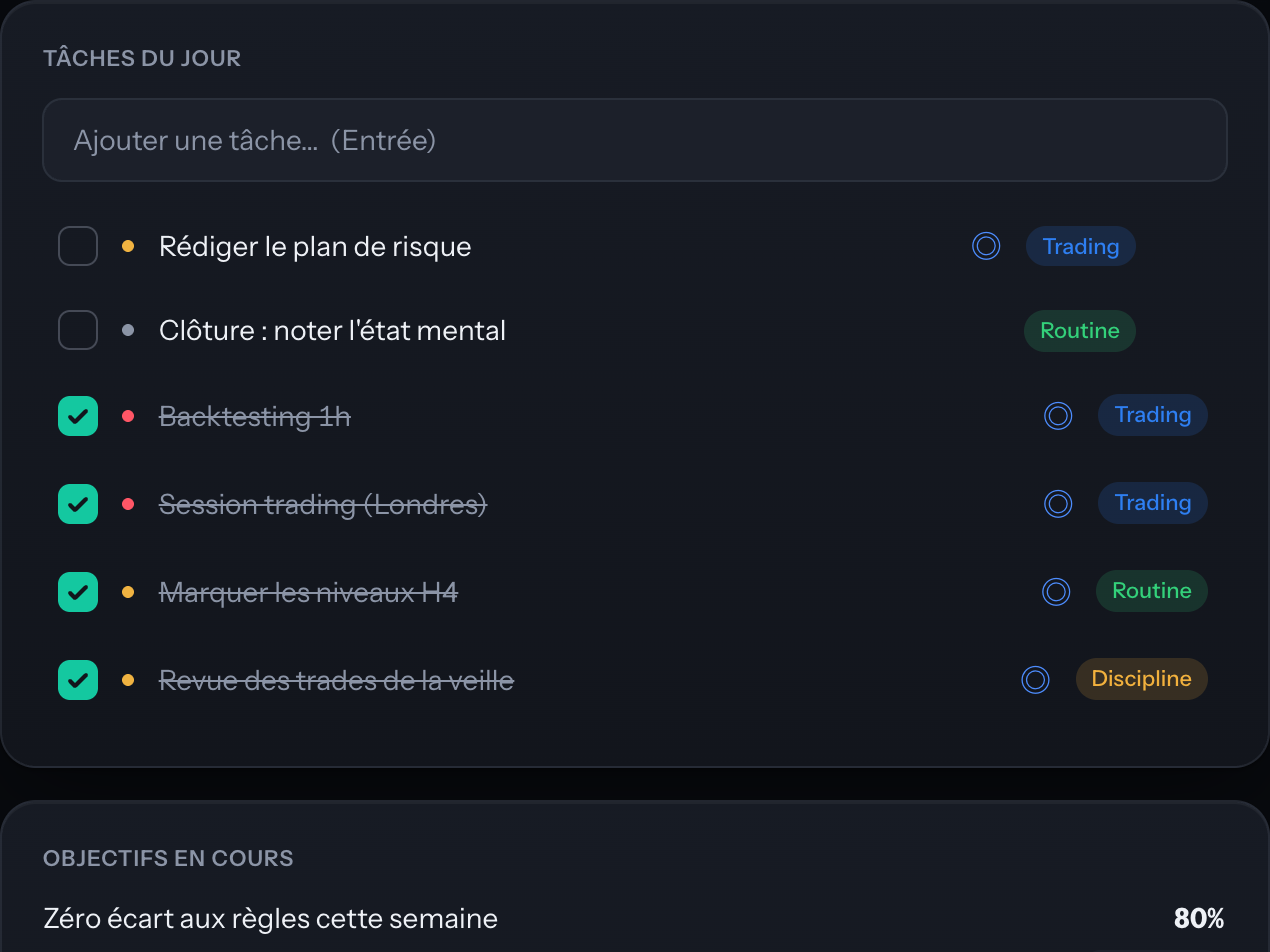
Opening it is already deciding
Today’s tasks, goals, energy left. No blank page.
One window to decide, calculate and record. Native macOS, offline, quiet.
7 DAYS · NO CARD · MACOS 14+
↓ THIS ISN’T A SCREENSHOT — IT’S THE APP
Check a task, drag a price: the window really responds. This is the app’s own code, not a picture.
lots = (capital × risk %) ÷ (stop distance in pips × pip value). The distance comes from the prices, not from typing it in — which is what prevents the misplaced decimal. The result is rounded to the minimum tradable lot (0.01). Reduced preview — 3 modules out of 12, everything runs in your browser, nothing is sent.
Motivation is a poor thing to lean on: it’s never there when you need it.
Today’s tasks, goals, energy left. No blank page.
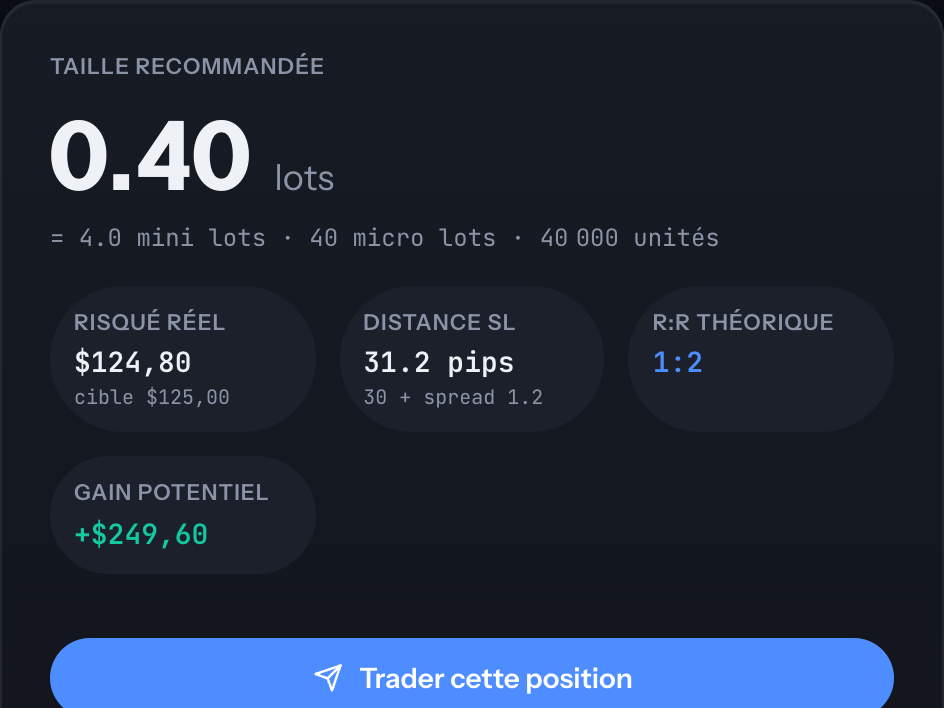
The exact size from your capital and your stop. Nothing to connect.
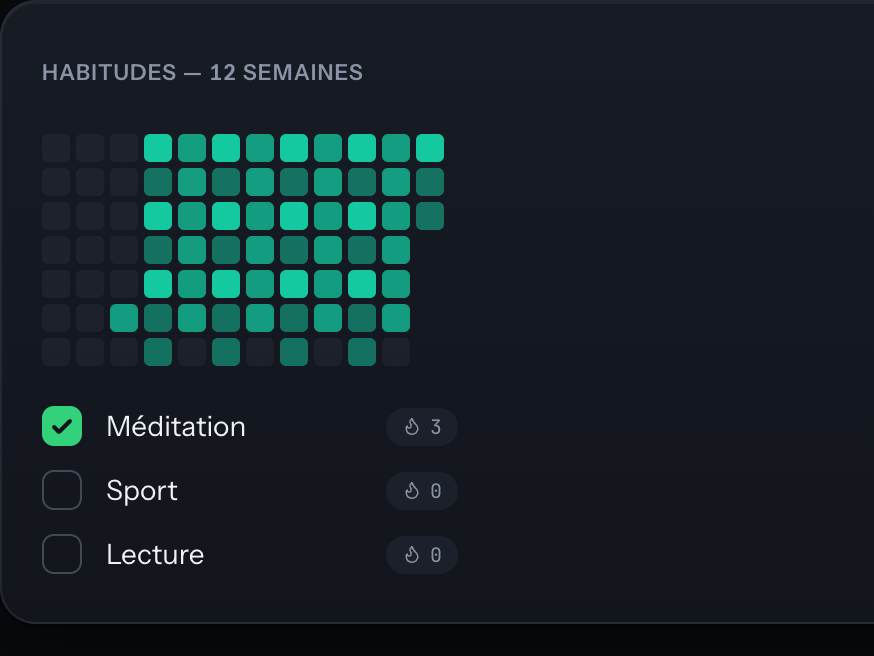
Habits and routines are recorded while you execute.
The journal, tasks, trades and calculations live in a local file on your Mac, which you can open, back up or delete. An encrypted copy goes to our servers so your devices stay in agreement: the encryption happens on your machine, with a key derived from your password, which we do not hold. So we store data we cannot read. Syncing starts when you sign in; “Forget the key on this device”, in the settings, stops it without touching your local data.
Never. The calculator works on the values you enter — capital, risk, entry price, stop, point value. No API key, no access to your trading account, no orders placed.
No, and that isn’t the point. Shale is a preparation and discipline tool: it helps you decide beforehand and keeps the record afterwards. Execution stays on your platform.
Position sizing is market-agnostic: indices, forex, futures, stocks, crypto. You enter the instrument’s contract size and point value — Shale remembers the configuration per symbol and does the rest.
Prices, macro data, the calendar and the news all arrive without any key. Only the final write-up goes through a language model: paste your own Gemini or Groq key into the settings and the module works. Without a key, you still get the raw data.
Yes. The app asks for a confirmed email address the first time you open it, and the sign-in screen is a real wall: without an account, nothing is shown. That account covers one thing only — your licence and encrypted sync. Your working data stays on your Mac: we cannot read it, even once it is synced. Once you are signed in the app works offline; you simply need an internet connection the first time.
The trial lasts 7 days and asks for no card. If you stop opening the app, there’s nothing to cancel. If you subscribe and then change your mind, cancelling takes one click, the app goes read-only, and your data stays on your machine.
macOS 14+ on Apple Silicon (M1 and later) today — that is the only build published. An Intel build, Windows and a mobile web view are planned. The workstation will stay on the desktop: that’s where the decision gets made.
Install Shale, open it tomorrow morning, and see what happens.
Download for macOS Apple Silicon Mac · M1 and later Apple Silicon Mac download Windows — coming soon Intel Mac — coming soon No build for this machine yet — the button above is a macOS application. MACOS 14+ Try it for 7 days →